Home Internet in Tokyo: Fiber, WiMAX or Pocket Wi-Fi?
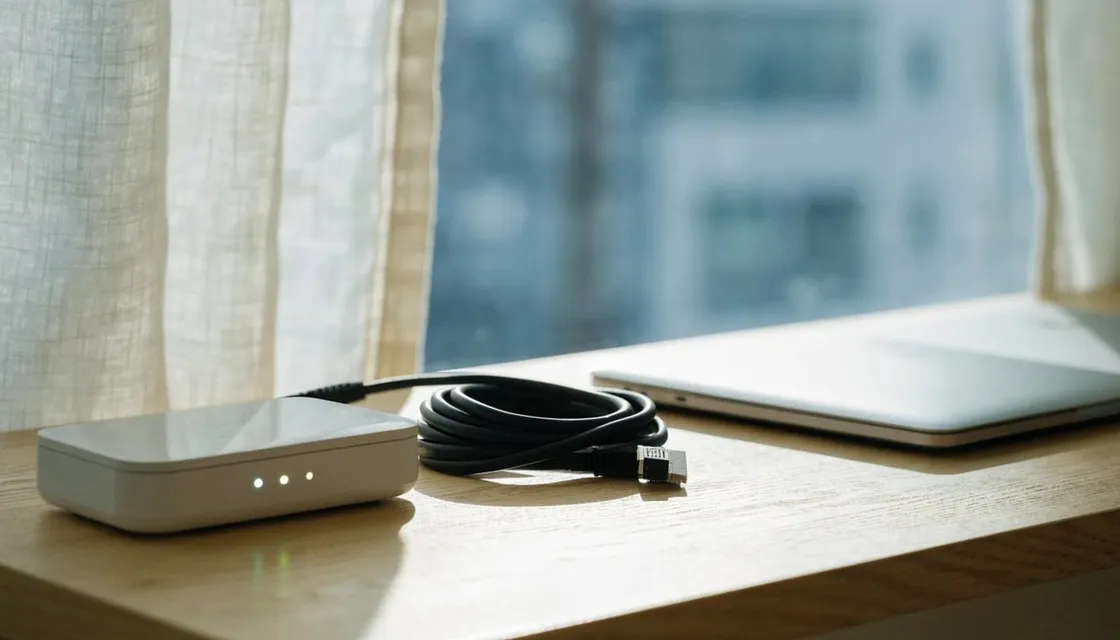
The right home internet in Tokyo depends mostly on how long you are staying.
Under three months, a monthly pocket Wi-Fi is usually enough. For three months to a year, a plug-in home router with no long contract is the easy middle. Beyond a year, or if your work lives on video calls, fiber is worth the wait.
Check the cost of leaving as well as the monthly fee: a service with no fixed term can still leave you paying for a purchased router after departure.
Choose your internet the way you choose a lease: by how long you will actually be there.
First, check what your building already has
Before you compare anything, ask what comes with the room.
Monthly apartments and share houses often bundle internet into the rent. “Wi-Fi included” can still mean a fixed line or a single pocket router, so ask which one, as our guide to monthly apartments and share houses explains.
If you took a regular lease, ask the management company two things: is fiber already wired into the building, and is any work allowed in your unit?
The answers decide how much of this article you need.
At a glance
Prices below are published rates, checked in early November 2026, tax included. They change, so confirm before you sign.
| Option | Monthly cost | Setup | Commitment | Good for |
|---|---|---|---|---|
| Sakura Mobile monthly pocket Wi-Fi | ¥5,478 (100 GB) or ¥7,128 (200 GB) | Delivery (needs a residence card or My Number Card) or airport pickup | Month to month | Stays under 3 months, moving around |
| Sakura Mobile Home WiFi | ¥7,678 | Delivered in days, then plug in | No annual contract | 3 to 12 months in English |
| UQ WiMAX home router | ¥5,280 (¥4,598 for the first 13 months) | Delivered or bought in store, device sold separately | No fixed term on the current plan | Longer stays with Japanese paperwork |
| SoftBank Air | ¥5,368, rising to ¥5,698 on December 1, 2026 | Plug in, ¥95,040 device (installments optional; rental excludes 5G models) | No fixed term; purchased device balance remains | One address, with device cost budgeted |
| Sakura Mobile Fiber (1 Gbps) | ¥7,678 | 1 week to 1 month | Month to month, 1-month minimum | Heavy calls, in English |
Setup fees sit on top of these numbers, so read the next sections before you compare totals.
Monthly pocket Wi-Fi: the easiest start
If you are staying a few weeks or a couple of months, a rental is hard to beat.
Sakura Mobile’s monthly pocket Wi-Fi runs on 4G/LTE, costs ¥5,478 for 100 GB or ¥7,128 for 200 GB a month, and has a ¥5,500 activation fee. It is month to month and you rent the device, so nothing is left to sell when you go.
The limit is the monthly cap. A day of video calls uses far more data than you expect, so if you are on calls most of the day, watch your usage in the first week. If you hit the cap, the connection stops until the 1st of next month, and there are no top-ups.
For a phone-only setup, start with our eSIM and SIM guide instead.
Plug-in home routers: no technician, short wait
A home router is a box that takes a mobile signal and turns it into Wi-Fi. Once it arrives, you plug it in, and no one needs to visit.
Three worth comparing:
Sakura Mobile Home WiFi. ¥7,678 a month plus ¥5,500 at the start, with full English support, no annual contract and no early-termination penalty. It has the highest listed monthly fee of these three, and you are paying for flexibility and English.
Delivery needs a residence card showing your current address, while pickup at its Shinjuku Office needs only a passport. The minimum term is one calendar month, cancellation requests go in by the 25th, and fees are not prorated. Return the router within 5 days of the contract ending.
UQ WiMAX. The Giga Hodai Plus S plan is ¥5,280 a month, with ¥682 off for the first 13 months and a ¥3,300 registration fee. The Speed Wi-Fi HOME 5G L13 home router was listed at ¥33,220, or ¥11,880 with the new-contract discount, as of June 2026. Standard mode has no data cap, but speeds can be limited in congested hours after heavy use.
This plan has no fixed term; confirm the term of the particular offer you choose before signing. Foreign residents can sign up with a residence card; paying by bank direct debit needs at least 90 days left on your period of stay.
SoftBank Air. The sticker price looks good, but read the fine print. The Air Terminal device costs ¥95,040, and it works only at your registered address. You cannot take it to a friend’s place or a workation.
You can pay in installments, such as ¥1,980 a month over 48 months, and a discount of the same amount comes off the monthly fee, but it ends if you cancel. A ¥539-a-month rental is listed, though not for 5G models. The contract fee is ¥4,950.
The Air 4G/5G common plan has no fixed contract term and no cancellation fee. If you buy the device in installments, cancelling ends the monthly service discount but does not cancel the remaining device payments. You can keep paying in installments or settle the balance at once (SoftBank FAQ, checked November 20, 2026).
Foreign nationals can sign up, but SoftBank’s FAQ says to apply at a store, so check which documents to bring.
For a short stay, compare the full device cost and any remaining installments before choosing it.
Fiber: worth it if calls pay your rent
Fiber connects through a fixed line rather than a mobile radio link. An Ethernet cable from the router also avoids relying on the Wi-Fi link inside the room; actual performance still needs testing at your desk.
The catch is time. NTT East’s guide for business customers says to allow about a month from application to activation, and to apply with time to spare in moving season. Someone usually needs to be home for the work, though not necessarily you, and shared areas of the building may need to be opened by the management company.
Sakura Mobile Fiber is the English-friendly route. It is ¥7,678 a month for 1 Gbps, plus ¥5,500 registration and ¥3,300 to ¥25,300 for installation. It is month to month with a one-month minimum, and a temporary pocket Wi-Fi can cover the wait. Ask what it costs.
Have a current ID ready. Sakura Mobile asks for color photos of your documents at least three days before installation. It accepts a residence card showing your current address, a Japanese driver’s license, a My Number Card, or a passport plus a rental contract or a gas, water or electric bill under three months old.
March and April are the busiest months, so apply early if you land in spring.
Japanese carriers can be cheaper, but the contract and support are usually in Japanese. If you read it comfortably, compare them. If not, the premium buys you real peace of mind.
A cheaper plan you cannot cancel in English is not cheaper.
The 8-day cooling-off rule, and its limits
Japan has an initial contract cancellation system for many telecom services, including fiber. Under it, you can generally cancel within 8 days of receiving the contract document, without the provider’s consent.
You may still pay for service used, a capped administration fee and any construction already done.
Many mobile services sold in stores or online use a similar confirmation measure instead. UQ WiMAX’s version, for example, applies when the signal at your home or the seller’s legal compliance falls short, so it is not a free exit.
Which rule applies, when the 8 days start and what happens to a purchased device differ by service, and month-to-month rentals may not be covered. Confirm with the provider before you rely on it.
So test early. Run a video call from your actual desk in the evening, when the network is busiest, and read your contract document.
Which one should you choose?
- Under 3 months: use what the apartment provides, or rent a pocket Wi-Fi.
- 3 to 12 months: a plug-in home router, month to month.
- Over a year, or daily client calls: fiber, with a rental bridging the wait.
- Calls and a thin apartment wall: fix the noise too. Our guide to work booths and video calls helps.
Keep a phone hotspot as a backup either way. One outage before a big meeting is enough to make the case.
FAQ
Can I get home internet in Tokyo without a residence card? Some providers allow it. Sakura Mobile accepts a passport with a utility bill or rental contract for fiber, its pocket Wi-Fi can be picked up at the airport with a passport, and Home WiFi can be picked up at its Shinjuku Office with one. Many Japanese carriers ask for a residence card, so check first.
Does my landlord need to approve fiber? Ask before you order. Many apartments already have fiber wiring, and the work may only add a small wall port, but any work inside the unit or the building should be cleared with the management company.
Is pocket Wi-Fi good enough for video calls? Usually, if the signal is strong and you stay within the data cap. If calls are your whole job, fiber or a home router by the window is steadier. Test it in the evening.