When Your Laptop Dies in Tokyo: Repair, Replace, Keep Working
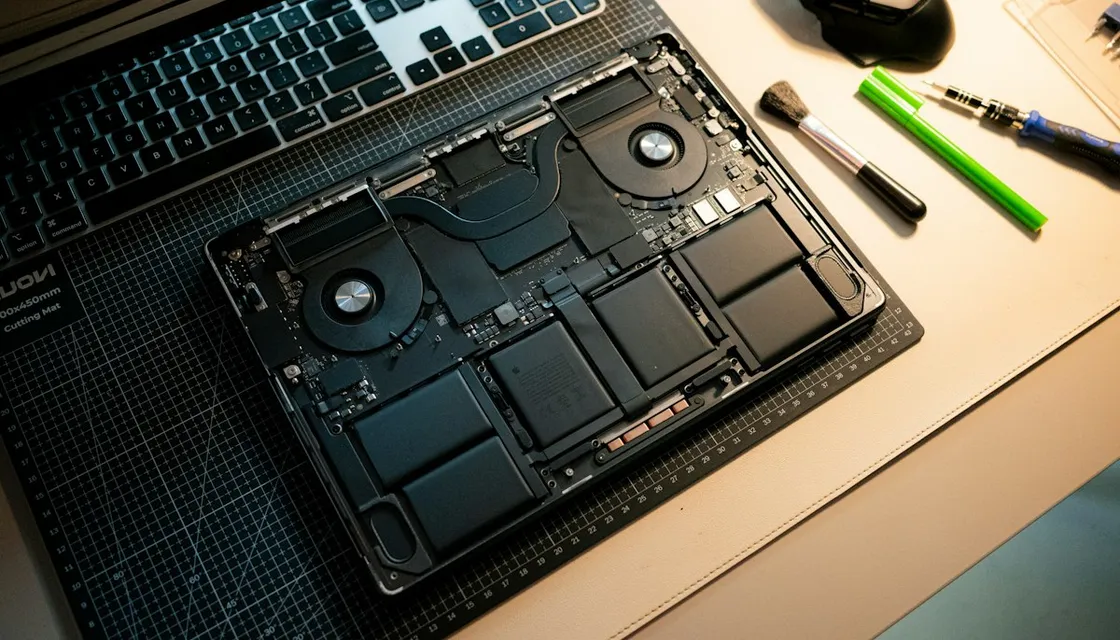
First, the good news: if your laptop has to die somewhere, Tokyo is one of the easiest cities in the world for it to happen.
Parts are easy to find and there are shops everywhere. If you have the budget, you can realistically replace the machine the same day, and a stopgap is never far away.
The electronics are rarely the hard part. What trips people up is the paperwork, the Japanese intake form, and the fact that the machine was bought in another country.
Tokyo can fix your laptop faster than it can fix your assumptions about warranty coverage.
At a glance
| Situation | What to do |
|---|---|
| Keep working first | A net café (bring your passport), a coworking day pass, or a tablet with a keyboard case |
| Apple | Book online before you go, or use an Apple Authorized Service Provider |
| Windows and others | Electronics store repair counters, Akihabara specialists, or the manufacturer’s Japan support |
| Intake forms | Prepare your symptoms in Japanese, and say clearly whether you want your data kept |
| Buying today | Check the keyboard layout (JIS vs US). Tax-free at the till up to 31 October 2026; a refund system from 1 November 2026 |
| Before anything breaks | Cloud sync, a password manager, recovery codes off the laptop, and a note of your serial number and purchase date |
First, separate three questions: data, repair, and work
When a machine dies, three questions get tangled together, and pulling them apart is most of the work.
Can I get my data back? Can this machine be repaired? Can I keep working this week?
Each one has its own answer and its own urgency.
The third is usually the one your clients care about, so sort that out first with a rental, a net café, or a cheap stand-in device. Then take your time with the other two.
Panic-buy a replacement on day one and you may end up stuck with a Japanese keyboard layout you’ll resent for two years.
Apple: book ahead, or use an authorized repair shop
Most people head straight for the Apple Store in Ginza or Shinjuku. That’s fine, but the Genius Bar in central Tokyo fills up, especially on weekends, and walking in is a gamble.
Book online before you cross the city. You can do it on the support site or in the Apple Support app, and both work in English.
The quieter route is an Apple Authorized Service Provider. There are several around Tokyo, often inside or near big electronics stores, and the queues tend to be shorter than at the flagship stores.
AppleCare and Apple’s limited warranty generally work internationally, but what’s covered and how long it takes depend on the model and on which parts are in stock in Japan. Check your own case instead of assuming.
Bring your passport, and your residence card if you have one. If you can pull up the original purchase record on your phone, bring that too.
Windows, Linux, and everything that is not Apple
Big electronics retailers like Bic Camera and Yodobashi have repair counters that take machines they didn’t sell. The terms vary, though, and they may turn down non-Japanese models or quote long wait times.
Akihabara is where the specialists are. Shops there do board-level repair, screen and battery replacement, and data recovery, and many are used to older or unusual hardware.
If manufacturer service in Japan is open to you, it’s the cleanest route.
International warranty on Windows laptops is much less consistent than Apple’s, though. Some brands honour it, some only cover the region where you bought it, and some will happily fix the machine as a paid repair.
That last outcome isn’t a failure. A paid repair done this week is often better than a free one done next month in another country.
Getting through Japanese-only forms
Intake forms are usually in Japanese, and this is where people get stuck.
Write up your symptoms in Japanese before you go. A translated paragraph on your phone, ready to show, covers most of it: what happened, when it started, what you’ve already tried, and whether the machine was dropped or got wet.
Say clearly whether you want your data kept. It’s the most important line on the form, so have it translated word for word.
Expect a consultation fee and a wait for diagnosis, not an answer on the spot. Japanese shops tend to promise conservatively, then deliver on time.
If you need to buy today
Akihabara, plus the big-box stores around Shinjuku, Ikebukuro and Yodobashi’s flagship stores, can get you a working machine the same afternoon.
Check two things before you pay.
Keyboard layout: most laptops sold in Japan use JIS, with a shorter space bar and symbols in different places. US layout is out there, but some shops have to order it in while others keep it in stock, so ask directly.
Tax-free purchase: anything you buy up to 31 October 2026 is still tax-free at the till, as before.
For purchases from 1 November 2026, Japan switches to a refund system for short-term visitors. You pay the full price including tax in the shop, then show your passport and the laptop at customs when you leave Japan, and you only get the tax back once customs confirms the export.
You have to leave within 90 days of buying it, so a machine bought early in a long stay may not qualify. Residents aren’t eligible.
See the Japan Tourism Agency’s guide, and think of the refund as a nice extra, not something to count on.
Refurbished and used machines are a solid option here. Japan’s second-hand market grades condition unusually carefully, and a mid-range used laptop can carry you until you’re home and can use your own warranty.
Working while your laptop is in repair
A net café gets you a private booth with a PC, a screen, and unlimited drinks. That’s enough for browser-based work and getting through email.
You’ll need to show your passport when you sign up, since Tokyo requires net cafés to check ID.
Coworking spaces sell day passes, and a few rent out equipment. There are short-term hardware rental services too, but they usually want a Japanese address and payment method.
If your phone is fine, an iPad or a cheap tablet with a keyboard case gets you through much more of a normal workday than you’d expect.
Let clients know early. A one-line message on day one earns more goodwill than a perfect explanation on day four.
Prepare before anything breaks
All of this gets easier if your work doesn’t live on a single disk in your bag.
Cloud sync on your active project folders. A password manager you can open from any browser. Two-factor recovery codes kept somewhere other than the laptop that just died. A note of your serial number and purchase date.
That last one takes two minutes, and it’s exactly what most people don’t have at the moment they need it.
FAQ
Will my international warranty work in Japan?
Sometimes. Apple’s coverage usually travels best, though the details depend on the model and parts availability. Windows brands vary a lot, and some only service machines in the region where they were bought. Check with the manufacturer’s Japan support before you haul the machine across the city.
Can I get data recovered from a drive that will not boot?
Yes. There are specialist services in Tokyo, including in Akihabara. Expect a diagnosis, then a quote, then a wait. Say clearly at intake that keeping your data matters more than a fast repair, because those two goals sometimes pull in opposite directions.
One important exception: on Macs with Apple silicon or a T2 chip, the built-in storage is encrypted with keys held in that Mac’s own security chip. If the logic board itself has died, a recovery shop often can’t get the data back.
That’s why keeping active folders in cloud sync matters so much.
Is it cheaper to repair or replace?
It depends on how old the machine is and what broke. Screens and batteries are usually worth fixing. A dead logic board on an older laptop often isn’t.
A used machine from Japan’s second-hand market sits somewhere in between, so price one out before you decide either way.