Where to Print Documents in Japan: Konbini Printing in Tokyo
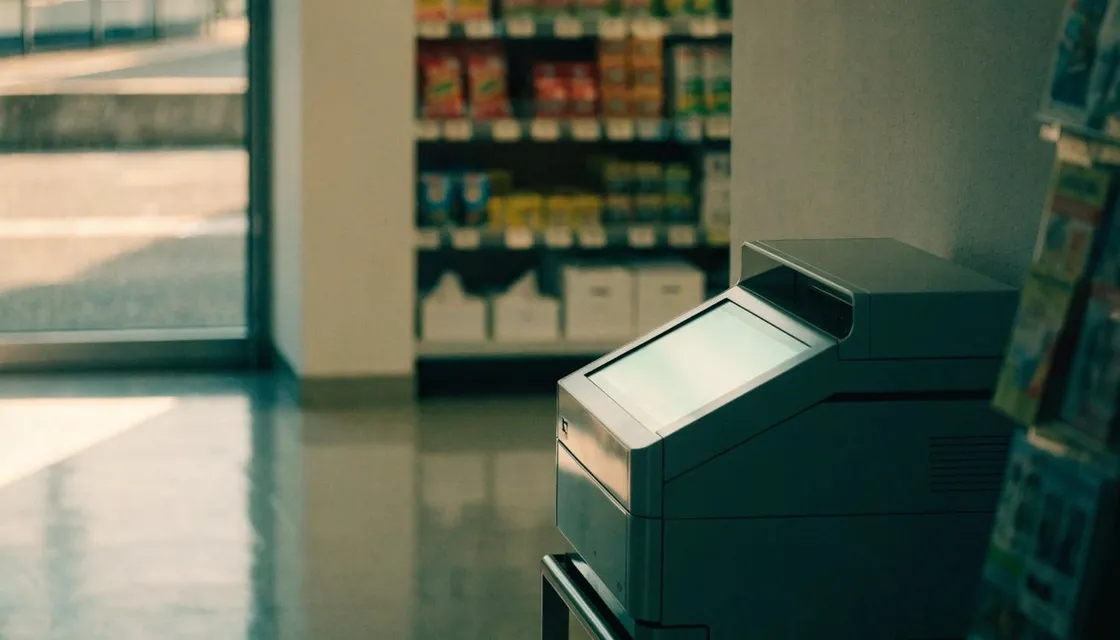
Short version: you don’t need a printer in Tokyo. Every convenience store already has one, and it’s better than most home printers you’ve ever owned.
The multicopy machine in the corner of a 7-Eleven, FamilyMart, or Lawson will print your PDF, scan your signed contract, copy your passport, and turn out proper ID photos, at almost any hour, for coins.
Remote work is supposed to be paperless.
Then a client wants a signed and scanned agreement, an embassy asks for two printed copies of a form, or an airline insists on a paper itinerary, and suddenly the most digital person in the room is hunting for a printer.
In most cities, that means finding a print shop during business hours. In Tokyo, you walk to the nearest konbini, which is rarely more than a few minutes away.
At a glance
- Upload a PDF to netprint (7-Eleven) or network print (FamilyMart and Lawson) and get a short code.
- At the store, tap the print menu, enter the code and pay. Bring coins, since cards depend on the chain.
- No upload? Bring a USB drive or SD card, or pair your phone over Wi-Fi. PDF is the safest format.
- The same machine scans to PDF or JPEG, and many copy both sides of an ID card onto one page.
- For big or odd jobs, try a print shop, your coworking space, or the hotel front desk.
- Take your pages, and the original on the glass, right away.
How konbini printing actually works
There are two ways to get a file onto the machine: upload it ahead of time, or bring it with you.
Learn the upload route.
7-Eleven uses a service usually called netprint, and FamilyMart and Lawson share a similar one usually called network print. Both have websites and apps with English options.
Upload a PDF or image from your laptop or phone and you get a short reservation code. At the store, tap the print menu, enter the code, pay, and out come your pages.
Bring coins. Cash is the safe bet, and which cards a machine takes depends on the chain (7-Eleven’s takes nanaco), so a cashless-only wallet can leave you stuck.
No cable, no drivers, and if you use the website, no account either (the official apps do ask for a free sign-up). Your file just sits on a server until you show up.
The code is the whole trick. Upload from your desk, print from any branch in the city.
Bringing the file with you works too. The machines read USB drives and SD cards, and most can now pair with a phone app over Wi-Fi.
PDFs are the safest bet. Word files can come out looking strange, so export to PDF first.
It’s cheap. Black and white pages cost pocket change, color a bit more, and even A3 costs about what a coffee does. Prices change over time, so go by what the screen tells you.
Scanning, copying, and the other hidden functions
The same machine scans, and that’s the feature that quietly saves you on nomad paperwork.
Put your signed page on the glass, choose scan, and save it as a PDF or JPEG to a USB drive or straight to your phone through the app. The resolution is plenty for contracts, visa documents, and anything a bank or embassy might reasonably want.
Copying works the way you’d expect, with one nice surprise. Many machines have a mode that copies both sides of an ID card onto one page, which is exactly the format Japanese banks, phone carriers, and landlords tend to ask for.
They print photos too, including formal ID photos sized for residence card and visa applications. Street photo booths can do this as well, but if you’ve already got a usable photo on your phone, the konbini is cheaper.
Some machines still send faxes. Go ahead and laugh.
One day a Japanese institution will ask you for one, and you’ll know where to go.
When the konbini is not enough
For a ten page contract, the konbini is perfect. For bigger or odder jobs, Tokyo has more options.
Print shops handle large runs, posters, bound documents, and business cards. Most business districts have chains with English-friendly self-service machines and staffed counters, and in central areas many stay open late or around the clock.
Coworking spaces nearly always have a printer, and day-pass visitors can usually use it within reason. If you already work from one, it’s a better deal than feeding coins into a konbini machine for regular printing.
Business hotels and many share houses keep a printer at the front desk or in a common room. Ask before you assume you have to go out.
In a city this dense, the question is never whether you can print. It’s which of the three options within five minutes is cheapest.
One practical warning: konbini machines are shared and in full view. With sensitive documents, grab your pages right away, and don’t forget the original on the scanner glass.
Passports left on copy machines are a small but very real category of travel bad luck.
A quick workflow that covers most situations
Keep every document you might possibly need as a PDF in cloud storage. When someone wants paper, upload it to netprint or network print from wherever you are, walk to the nearest store, and enter the code.
For signatures, print, sign, and scan on the same machine in one visit, then email the result before you walk out. The whole thing takes ten minutes.
For anything official, print one extra copy. Japanese bureaucracy rewards people who come prepared, and it only costs a few more coins.
FAQ
Do the machines have English menus?
Yes. All the major chains have an English option on the touchscreen, usually a button in a corner of the home screen. The upload websites and apps have English versions too, though a few pages slip back into Japanese.
Can I print directly from my phone without a USB drive?
Yes. Each chain has an app that either uploads to a code-based service or connects to the machine over its own Wi-Fi.
The code route is more reliable, and it means any branch can print your file, not just the one you paired with.
What file formats are safest?
PDF, no question. JPEG and PNG are fine for images.
Some services accept Office files, but they don’t always come out right, so export to PDF before uploading and check the page size. Japanese machines default to A4 rather than US Letter.