Is Tokyo Cashless? Paying by Suica, IC Card and QR Code
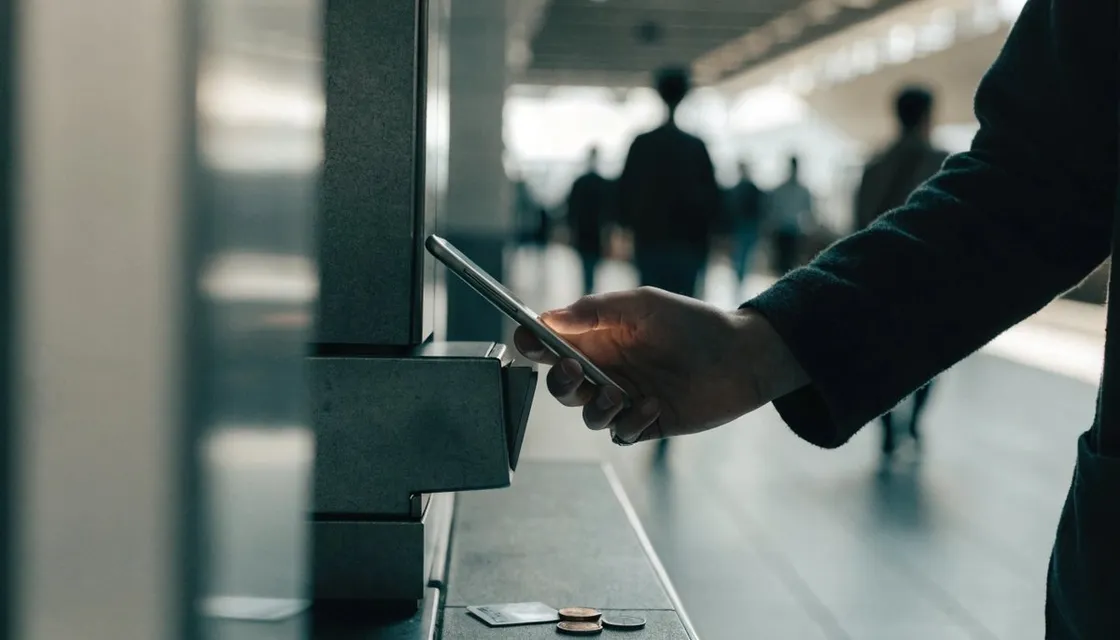
Japan has a reputation as a cash country. If you live in central Tokyo, that reputation is about a decade out of date.
For a remote worker the setup is simple: put a Suica in your phone, add one QR payment app if you have a Japanese number, and keep a little cash for the handful of places that still need it.
Do that, and most days you won’t open your wallet at all.
Start with the transit IC card, because it does a lot more than trains. Once it’s in your phone, the same tap pays at convenience stores, vending machines, plenty of restaurants, and station lockers, and you stop thinking about small change.
You don’t need to go fully cashless in Tokyo. You just want cash to be the odd exception instead of something you reach for every day.
At a glance
| Layer | Use it for | Good to know |
|---|---|---|
| Suica or PASMO in your phone | Trains, konbini, vending machines, plenty of restaurants | Add Suica in Wallet on an iPhone. Many Android phones sold abroad need a physical card |
| QR app (PayPay) | Small shops that might not take foreign cards | Assumes a Japanese mobile number. Some merchants accept overseas wallets through Alipay+ |
| Contactless credit card | Chains, department stores, bigger restaurants | Accepted at every Toei Subway and Keikyu Line station since December 23, 2025 |
| Cash | Small older restaurants, some clinics, many temples and shrines | Use convenience store ATMs. Carry enough for a day or two |
Start with a mobile IC card
Suica and PASMO are the two big transit IC cards, and for daily life they’re interchangeable. They come first because they work almost everywhere small payments happen, take a single tap, and never ask you to sign or enter a PIN.
If you have an iPhone or an Apple Watch, you can add a Suica straight into the Wallet app and top it up from a card you’ve already saved there. That’s the smoothest route, and you don’t need a physical card at all.
Not every card issued abroad goes through for Suica top-ups, so if yours gets declined, try another card or top up with cash.
Many Android phones sold outside Japan don’t support the local FeliCa chip, so if yours can’t add a mobile Suica, get a physical card instead.
Sales of plain unregistered Suica and PASMO cards were paused during a chip shortage and resumed on March 1, 2025. In March 2025 JR East also launched Welcome Suica Mobile, an iPhone-only app for visitors to Japan.
These details change, so double-check any specific rule you read.
Topping up is the one habit to build. You can reload with cash at any station fare-adjustment machine, and mobile cards can usually reload from a linked payment card in seconds.
Keep a few thousand yen on it and you’ll rarely get caught out at a gate or a register.
Add one QR payment app
Where the IC card doesn’t reach, Japan’s QR payment apps usually do. PayPay is the most widely accepted, and rivals like Rakuten Pay and d Barai cover much the same ground.
They’re the codes you see propped up on counters at small restaurants, markets, and independent shops that might not take foreign credit cards.
These apps assume you have a Japanese mobile number. PayPay’s official help describes signing up with a mobile phone number and doesn’t say overseas numbers are accepted, so don’t plan on registering with your home SIM.
If you don’t have a Japanese number, see whether your wallet from home works instead. As of June 2026, PayPay merchants can accept 35 overseas payment services from 17 countries and regions, many of them through Alipay+, covering countries that make up about 80% of visitors to Japan.
Not every shop has turned this on, and the rules move fast, so check in your own app before you count on it.
On a short trip, if you’d rather skip the setup, an IC card plus a contactless credit card still covers most of what you need.
Use a contactless credit card for the rest
Tap-to-pay on a Visa or Mastercard has spread fast in Tokyo, and many chains, department stores, and bigger restaurants take it now. For visitors it’s often the easiest bridge, since the card you already have works with no local setup, and on some lines you can even tap it at the ticket gate.
Since December 23, 2025, every station on the Toei Subway and the Keikyu Line accepts contactless credit, debit and prepaid cards, at an automatic gate or at the staffed window depending on the station. More lines are adding it, so check the operator’s page for the stations you use.
One practical note on foreign cards: they work well in central, modern, and tourist-facing places, and less reliably the further you get into small local businesses.
IC card first, credit card second, cash as backup. Layer them like that and you’ll rarely get stuck at a register.
When you still need cash
Cash hasn’t gone anywhere, and if you carry none, sooner or later you’ll hit a wall. Small older restaurants, some izakaya, certain clinics, older ryokan, local festivals and market stalls, and many temples and shrines still prefer or require yen.
Splitting a bill with friends is also much easier in cash than across a mix of apps.
Luckily, getting cash is easy. When a bank ATM won’t read your card, a convenience store ATM is the reliable fallback.
Seven Bank ATMs in 7-Eleven take Visa, Mastercard, American Express, JCB, UnionPay, Discover and Diners Club cards, with screens in 12 languages.
Lawson Bank ATMs in Lawson also handle withdrawals with foreign-issued cards, and many FamilyMart stores have Japan Post Bank ATMs, which take Visa, Mastercard, JCB, UnionPay and Discover, with a cap on each withdrawal.
Carrying enough for a day or two, not a week, is usually about right.
Keep a small emergency note folded in your bag. The one place that doesn’t take cards is always the one you didn’t plan for.
A simple setup to copy
For most remote workers, the whole thing fits on a short checklist. Put a Suica or PASMO in your phone and keep a balance on it.
Carry a contactless credit card for bigger purchases and chains. Add PayPay if you have a Japanese number and account.
Keep a bit of cash and know where your nearest convenience store ATM is. That covers trains, konbini, restaurants, shops, and the odd cash-only holdout without much thought.
It’s about more than convenience. Digging for coins, card taps that fail, wondering whether a place takes plastic: those little snags are exactly what knocks you out of a working rhythm.
Sort out payments in your first week, and Tokyo gets noticeably easier to live in.
FAQ
Do I need a Japanese bank account to go cashless? Not for the basics. A mobile or physical IC card plus a contactless foreign credit card covers most situations.
QR apps like PayPay generally assume a Japanese mobile number, so don’t count on registering one without it. Many PayPay merchants also accept overseas wallets linked through Alipay+ now, so check whether your payment app from home is one of them.
Suica or PASMO, which should I get?
For everyday use it barely matters. Both are accepted in the same places and work the same way. Pick whichever your phone can add more easily. On an iPhone, adding a Suica in the Wallet app is usually the simplest route.
Is it rude to pay with a card or phone at small shops?
Not at all, but check first. Lots of small or traditional businesses are cash only, and a card reader or payment logos on the counter will tell you what works. If you’re not sure, just ask. It saves an awkward moment at the register.